

If you have bought Bitcoin, Ethereum, USDC, or another cryptocurrency and are ready to turn it back into regular money, you may be asking, “How Do I Cash Out From Coinbase?” The good news is that Coinbase provides several ways to convert eligible crypto into cash and move the money to a supported bank account or other payment method.
This guide explains How To Cash Out From Coinbase, how to sell crypto for cash, how to withdraw the money to your bank, how instant cash-outs work, and what to do if your funds are unavailable.
How Do I Cash Out From Coinbase?
If you are searching How Do I Cash Out From Coinbase, the basic process is straightforward.
First, check whether the assets in your Coinbase account are cryptocurrency or an available cash balance.
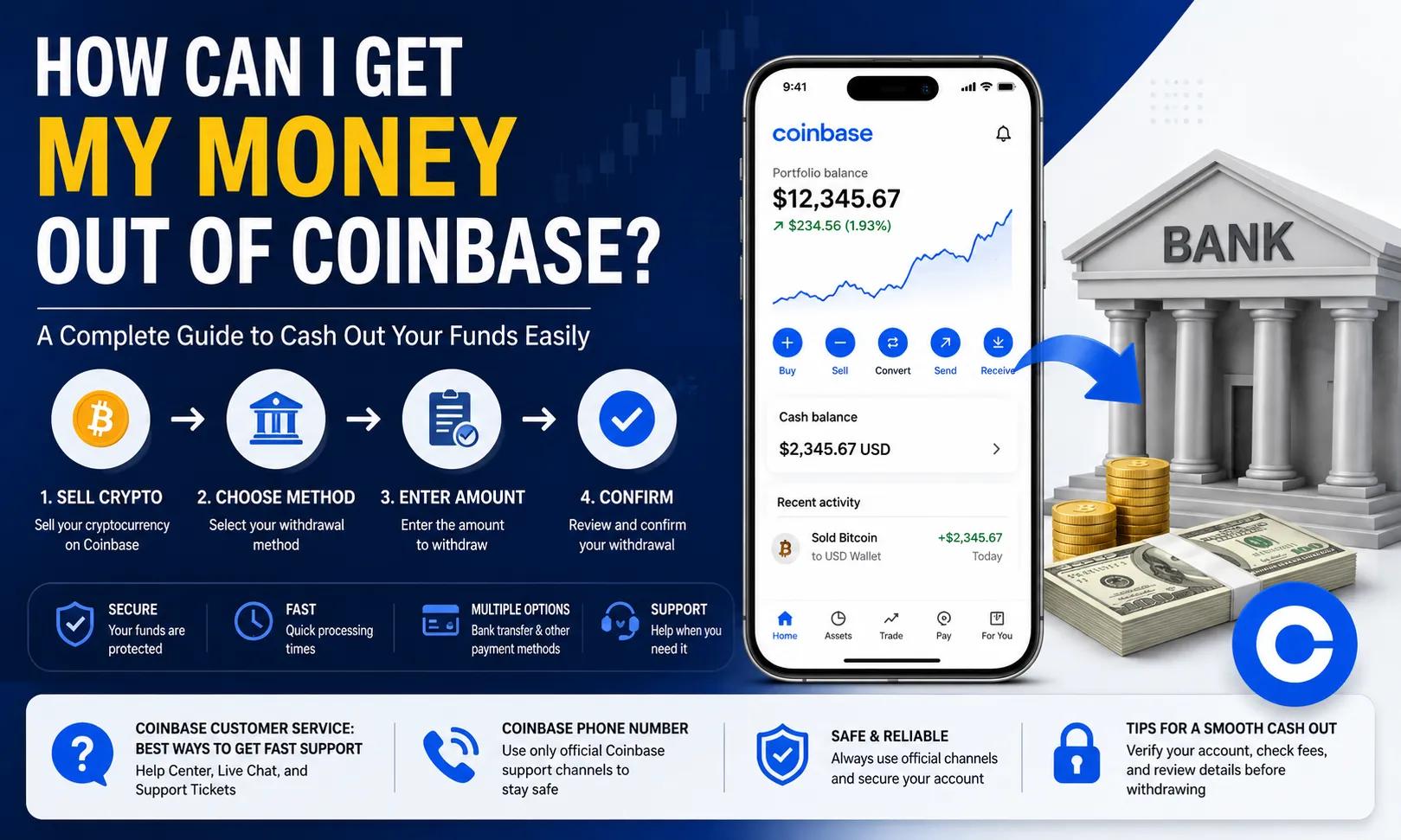
If your money is still invested in cryptocurrency, sell the amount you want to cash out. Once the sale creates an available cash balance, select the withdrawal option, choose where the money should go, review the transaction, and confirm it.
Coinbase's current website cash-out process starts from the Home page by selecting Withdraw Cash. Users then enter the amount, choose the currency and transfer destination, preview the transaction, review any fees, and select Withdraw Now.
The exact wording in the app can change as Coinbase updates its interface, but the general process remains the same.
How To Cash Out From Coinbase Step by Step
Here is a closer look at the entire process.
Step 1: Sign In to Your Coinbase Account
Visit Coinbase or open the official Coinbase mobile app.
Enter your login information and complete any required security verification.
For safety, avoid signing in through links sent by strangers through emails, text messages, Telegram, WhatsApp, social media, or online advertisements.
Always make sure you are using the legitimate Coinbase platform before entering financial information.
Step 2: Check Your Crypto and Cash Balances
Review your account balance.
If you already have an available USD or other supported cash balance, you may be able to move directly to the cash-out process.
If all your money is still held in cryptocurrency, you will generally need to sell some or all of that crypto first.
Step 3: Sell the Cryptocurrency You Want to Cash Out
Select the option to sell.
Choose the cryptocurrency you want to convert, enter the amount, and select your local cash balance as the destination where available.
Coinbase currently instructs users to select Sell, choose the crypto and amount, review the order, and select Sell now. Once the transaction completes, the proceeds appear in the applicable cash balance.
Always review the price, fees, and final amount before confirming.
Crypto prices can move quickly, so the amount you receive may differ from the approximate portfolio value you saw moments earlier.
Step 4: Open the Cash-Out Section
Once your sale is complete, open your cash balance.
On Coinbase.com, select Withdraw Cash from the Home page.
In the mobile app, Coinbase's current instructions direct users to select Cash, choose Withdraw, and then choose Withdraw Cash.
Step 5: Enter Your Cash-Out Amount
Enter the amount of money you want to withdraw.
If you want to Cash Out Coinbase completely, Coinbase may display Max or Withdraw Maximum, allowing you to select your full available cash balance.
Remember that your total account value is not necessarily the same as your available cash-out balance.
Cryptocurrency you have not sold, funds on hold, and other unsettled assets may not be immediately withdrawable.
Step 6: Choose Your Payment Method
Choose where you want the money sent.
Depending on your country and account eligibility, available options may include a bank account, debit card, PayPal, wire transfer, or instant bank cash-out.
For U.S. customers, Coinbase currently lists ACH, instant bank cash-outs, debit cards, wires, and PayPal as cash-out options.
Step 7: Preview Your Transaction
Before confirming, Coinbase displays transaction information.
Review the amount you are withdrawing, destination, estimated arrival time, and any applicable fees.
This is an important step because cash-out costs can vary according to your chosen payment method.
Step 8: Confirm the Cash Out
If all of the information is correct, complete the withdrawal.
You can then monitor the transaction through your Coinbase account.
How Do I Cash Out Of Coinbase Using the Mobile App?
People often search How Do I Cash Out Of Coinbase because they primarily use Coinbase on a smartphone.
The mobile process is similar to the desktop version.
If you have cryptocurrency rather than cash, first select Buy & Sell, choose Sell, select the crypto you want to sell, enter the amount, review the order, and complete the sale.
Once the money reaches your cash balance, return to the Home screen.
Select Cash, choose Withdraw, and then Withdraw Cash. Enter your amount, choose the transfer destination, select Preview, review the details and applicable fees, and complete the transaction.
Coinbase currently provides this process in its official cash-out instructions.
If you are asking How Do I Cash Out On Coinbase, the most important requirement is having money that is actually available to withdraw.
How Can I Get My Money Out Of Coinbase?
If you are wondering How Can I Get My Money Out Of Coinbase, there are generally two different possibilities.
If you want dollars or another supported fiat currency, sell your crypto and cash out the resulting balance.
If you want to retain your cryptocurrency but move it away from Coinbase, send it to a compatible external wallet instead.
These should not be confused.
Sending Bitcoin to another Bitcoin wallet is a cryptocurrency transfer. Selling Bitcoin and withdrawing dollars to your bank is a cash-out.
For someone who simply wants money deposited into a regular checking or savings account, selling the crypto and withdrawing the resulting available cash balance is usually the relevant process.
How To Cash Out Coinbase to a Bank Account
Many users specifically want to know How To Cash Out Coinbase directly into their bank accounts.
First, make sure an eligible bank account is connected to Coinbase.
Then sell your cryptocurrency to create a cash balance if necessary.
Open Withdraw Cash, enter the amount, select the bank as your transfer destination, review the transaction, and confirm the cash out.
For U.S. customers, ACH cash-outs are currently listed as taking approximately 1–5 business days.
Actual timing can depend on your bank, weekends, holidays, transaction processing, and account circumstances.
If speed is important, check whether your account offers an instant bank cash-out.
How Do You Cash Out Of Coinbase to a Debit Card?
An eligible debit card can provide another fast way to cash out.
Coinbase says customers in the U.S., UK, and EU may be eligible for instant card cash-outs using supported Visa Fast Funds or Mastercard Send cards.
The card must be connected to the Coinbase account and verified.
To use an eligible card, make sure you first have an available cash balance.
Select Cash out and choose the supported card as your destination.
Coinbase currently says it does not impose its own limit on instant card cash-outs, although the card provider may have separate limits.
Always review the fee before confirming.
How Do You Cash Out On Coinbase With PayPal?
PayPal may also be available for eligible customers.
For U.S. Coinbase accounts, PayPal is currently listed as an available option for cash-outs, with transactions generally shown as instant.
Availability can vary based on country and account.
If PayPal appears as an eligible destination in your Coinbase account, select it while completing the withdrawal process.
Before confirming, compare the estimated fee and arrival time against your other available cash-out methods.
An instant method can be convenient, but it may not always be the most economical option.
How Much Does It Cost To Cash Out With Coinbase?
If you are researching How To Cash Out With Coinbase, you should consider both selling costs and withdrawal costs.
Coinbase says fees for buying, selling, and converting crypto can depend on factors such as order size, payment method, market conditions, location, and asset.
Simple crypto trades can also include a spread in the quoted price.
When adding cash or cashing out, Coinbase may charge an additional fee depending on the payment method selected. Coinbase displays applicable fees before the transaction is submitted.
Because these costs can change, avoid relying on an old article that claims Coinbase always charges one fixed percentage.
Check the transaction preview immediately before confirming.
Why Can't I Cash Out Of Coinbase?
Sometimes users follow the correct steps but still cannot withdraw their money.
One common cause is that some of the funds are temporarily on hold.
Coinbase explains that recently deposited bank funds may be credited to your account for buying, selling, and trading before the underlying bank transfer is fully completed.
Until Coinbase receives the money from your bank, the relevant balance may remain unavailable for withdrawal. Coinbase says it typically requests the cash from the bank within three to five days after the deposit is initiated.
Other possible causes may include account restrictions, unsupported payment methods, verification problems, regional restrictions, or insufficient available cash.
Check your available balance and account notifications before repeatedly attempting another withdrawal.
Can I Cash Out All My Money From Coinbase?
Yes, you can generally cash out your entire available cash balance.
On Coinbase.com, the cash-out process currently includes a Max option.
In the mobile app, Coinbase provides a Withdraw Maximum option.
However, this only applies to funds that are currently available.
If some money remains invested in cryptocurrency, you would need to sell that cryptocurrency first if your goal is to convert everything into cash.
Funds that remain on hold may also need to clear before they can be included in a full withdrawal.
Can I Cash Out USDC From Coinbase?
Eligible U.S. customers may be able to cash out USD or USDC using certain payment methods.
For instant bank cash-outs, Coinbase says U.S. customers may be able to transfer money from their USD or USDC balance directly to an eligible Real Time Payments-enabled bank account.
Other cryptocurrencies generally cannot be directly sent to a regular bank account as crypto.
If you hold an asset such as Bitcoin or Ethereum, you usually need to sell it into an eligible cash balance first.
How To Cash Out On Coinbase Wallet
Users also frequently search How To Cash Out On Coinbase Wallet.
Coinbase's self-custody wallet product has evolved into the Base app experience, and current Coinbase help documentation notes that some cash-out instructions apply to the legacy experience formerly known as Coinbase Wallet.
For supported users, Coinbase describes options for selling or cashing out crypto through Coinbase.com or eligible third-party providers.
Its current help information says users in supported regions can select Cashout, choose a payment option, enter the amount and asset, review the details, and confirm the transaction.
Third-party cash-out providers are also available in numerous countries, although fees, payment methods, and availability can vary.
Always rely on the options shown within your wallet or Base app because supported networks and providers can change.